
Set up a portfolio datafeed mapping
Save the adviser code, map the correct platform account and review its sync result. Provider availability depends on your practice’s configuration. Use only a provider confirmed as enabled for your practice; a provider name or Configured badge alone does not establish a working feed.
Before you start
Confirm provider availability with your administrator before starting.
Have the authorised adviser code, Client Summary Number, Client Account Holder Number, account name and intended owner.
Check the client’s existing accounts and mappings so you do not add a duplicate.
1. Save the adviser code
Select Me in the top bar to open your profile, then Datafeeds. For an enabled provider, select Client Mapping, enter Adviser Code and select Connect. Check for the message that the adviser code was saved. This profile step saves the code; the client account is linked in the next stage.
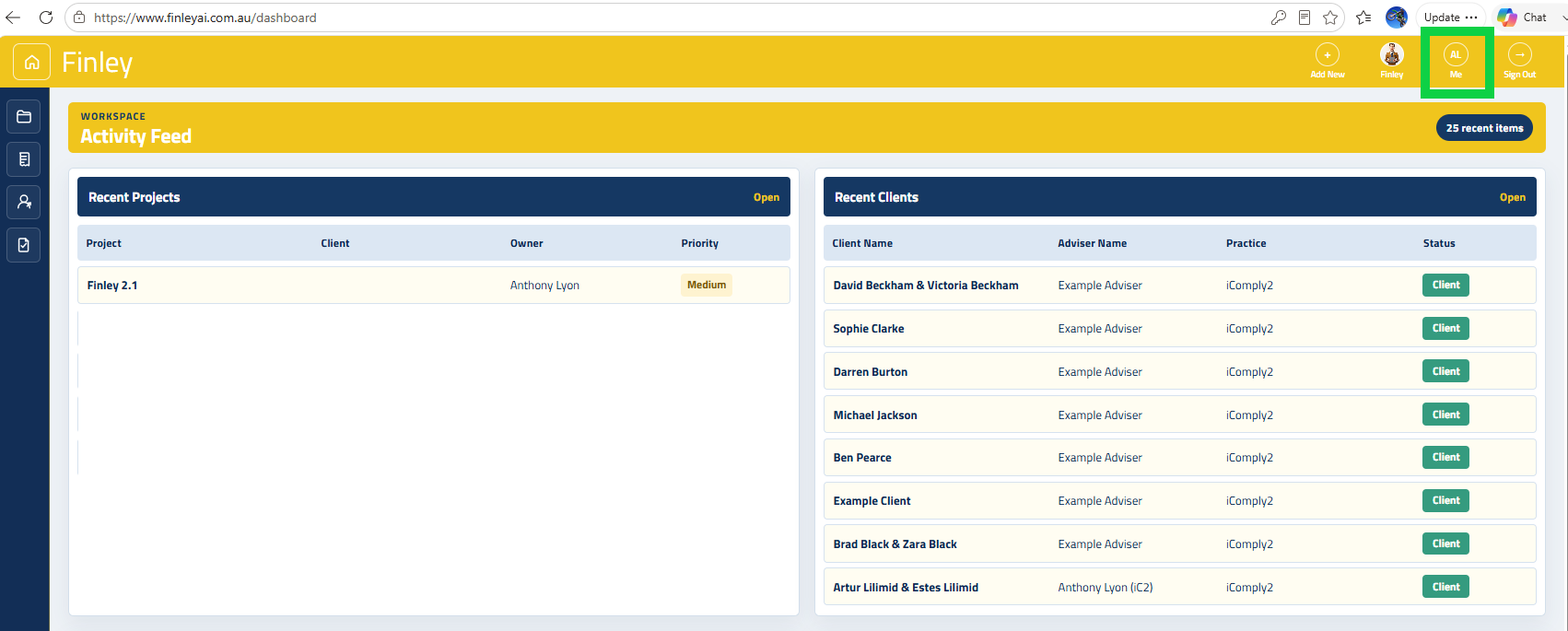
Navigate to your User Profile by clicking on your initials icon in the top right navbar
2. Open the client mapping form
Return to the client record, expand Portfolio and select Portfolio. Select Add mapping. If mappings already exist, select Edit mappings, review the list and choose Add mapping. If Adviser Code Required appears, its Connect button opens Profile Datafeeds so you can complete the missing prerequisite.
3. Match the account carefully
In Add Platform Mapping, choose Provider, Status and Owner. Enter Client Summary Number and Client Account Holder Number, then Account Name and an optional Account Description. The two identifiers accept numbers only. Compare them with the provider’s records and check joint ownership or entity ownership before proceeding.
4. Create and inspect the sync
Select Create mapping only after checking the details. This creates a portfolio account and mapping and requests an initial sync; it is not a preview. Wait for the operation to finish, then review the resulting account, holdings and mapping. If an error occurs, check the account and mappings before trying again because earlier parts of the operation may have succeeded.
5. Review or maintain the connection
Open Edit mappings to review Provider, reference, Status, Sync Mode and Last Sync. Use Sync now for an authorised refresh, or History to inspect recorded runs and any errors. Edit opens the saved mapping; Save changes applies its edits. Connect and Disconnect change mapping status, so use them deliberately and confirm the resulting state. Do not assume a status change deletes existing portfolio records.
Check before you finish
Provider, owner and both external identifiers match the intended account.
The mapping and resulting account are present once only.
Inspect Last Sync and History, then reconcile the imported holdings and values to the provider’s records.
A successful request should still be followed by a check of what was imported.
If something does not work
Missing adviser code: complete Profile → Datafeeds and return to the client.
Duplicate-mapping error: inspect and edit the existing mapping rather than re-creating it.
Sync failure after creation: inspect the existing mapping and History first.
If a provider shows Coming soon or its controls are disabled, do not treat its presence in another dropdown as readiness. Ask your administrator to confirm which feeds are enabled.